This is a guide on how to perform a CPET test without using the ECG.
Then once you are in the settings in the search bar at the top you will need to search 'ergoselect' then under Bicycles you will need to click on the ergoselect tab and then you will be able to see which COM port the bike is using. (See below for reference your COM port may be different).
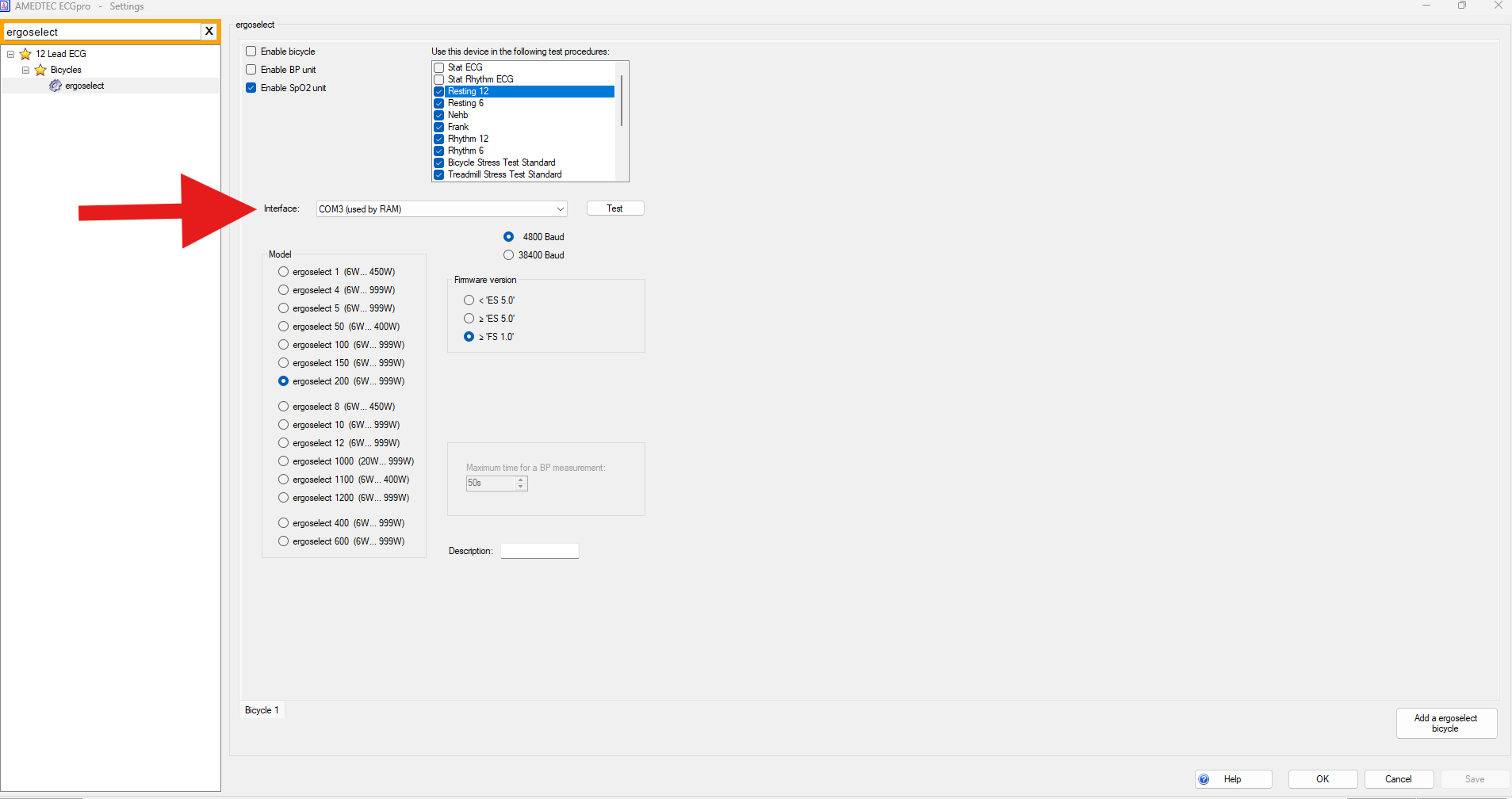
Now once you know which COM port the bike uses we can now move over to Blue Cherry and enable to Ergometer in there.
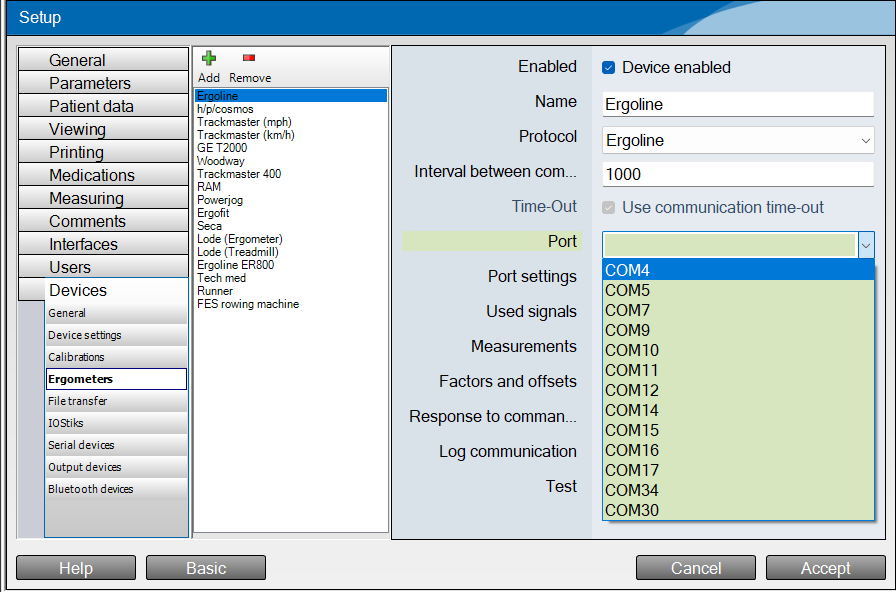
First step would be to go into setup at the top of Blue Cherry select advanced and then click onto the devices tab down the left hand side then select Ergometers and then in the middle find Ergoline click on that so it is highlighted blue. Then on the right side of the settings menu you will need to make sure the device enabled tab is ticked and then in the port drop down you will need to then click on the port number you found for the bike in Amedtec.
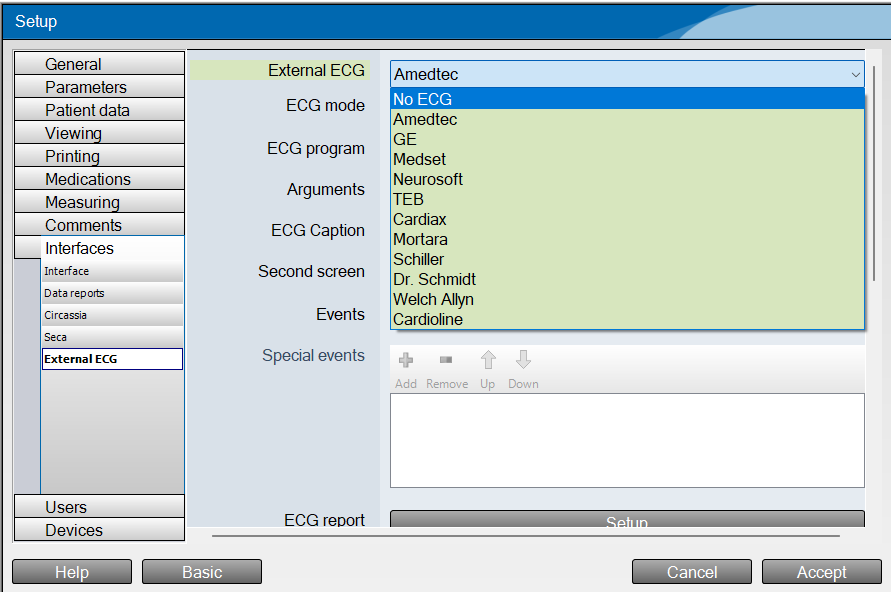
Once this is done stay in the settings menu and click on Interfaces then in the drop down select 'External ECG' When you are in the menu you should see that Amedtec is set as the External ECG at the top. You will need to click on the drop down box and then select No ECG.
Now you have done all the above steps you will need to click accept so the changes that you have made are saved. then you should get a box that says 'Some changes performed will be applied not until software is restarted' click okay on that and then close Blue Cherry and re open it. You then will be able to complete a CPET without having to use your ECG.
DO NOT FORGET TO DO THESE STEPS IN REVERSE IF YOU WANT TO USE YOUR ECG AGAIN FOR CPET.
Was this article helpful?
That’s Great!
Thank you for your feedback
Sorry! We couldn't be helpful
Thank you for your feedback
Feedback sent
We appreciate your effort and will try to fix the article